
Credential & compliance records
Healthcare-grade document accuracy with strict access rules and audit trails — the problem behind HealthID.
Custom document management systems that capture, classify, secure, and search your files — and increasingly, answer questions from what’s inside them. Permission-aware AI search, full audit trails, and the workflows your business actually runs. Your code, your data, no lock-in.
We build custom document management systems that organize, secure, and search your files — and increasingly, answer questions from what's inside them. Not another folder tree. A system that knows what a document is, who can see it, and where it belongs in your workflow.
A real document management system (DMS) does four jobs well: it captures documents from every source (uploads, email, scans, integrations), classifies and tags them so they're findable, controls who can see and change each one, and moves them through the workflows your business actually runs — reviews, approvals, renewals, audits. Off-the-shelf tools handle the generic case. The moment your process has its own rules — a verification step, a compliance hold, a notification to the right team — a custom build stops fighting the tool and starts fitting the work.
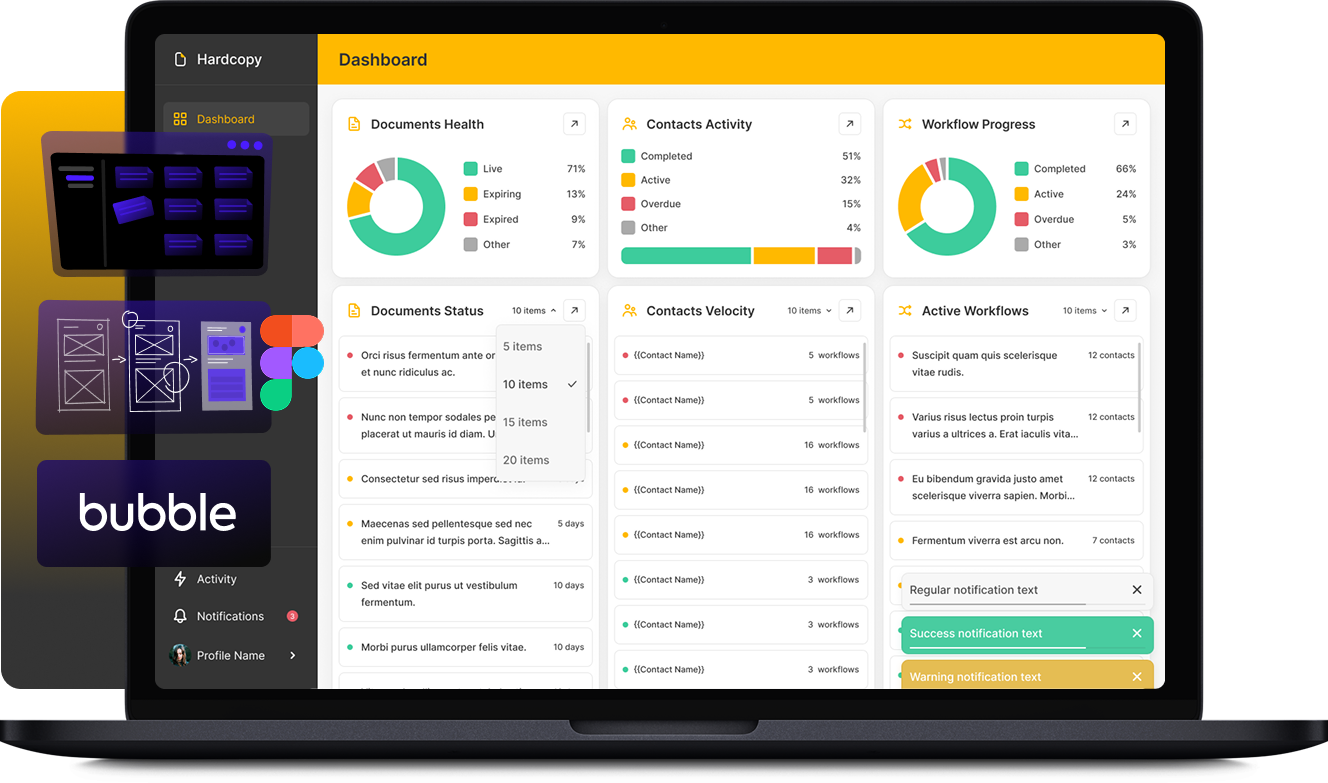
We've built exactly this. HardCopy is a document management platform we developed to simplify document storage, deadline management, and workflow for its users. HealthID is a credential-management platform for healthcare professionals — documents whose accuracy and access rules carry real consequences. Both are production systems, not demos.
The status quo is quietly expensive: employees spend close to a fifth of the workweek searching for information, most knowledge workers report losing time tracking down the right version of a file, and inefficient document processes drag measurable points off productivity (document-management surveys, 2026; Foxit). That waste is exactly what a system designed around your documents removes.
The center of gravity has moved from storing documents to understanding them. Industry analyses point to a clear shift in 2026 from reactive processing — extract, classify, route after the fact — to predictive document automation that anticipates the next step from historical patterns (Graip.AI, 2026). Three other patterns are worth designing around: cloud-first deployment is now the default rather than the exception; intelligent document processing has abandoned the one-size-fits-all model in favor of industry-specific extraction; and teams are investing up front in data readiness — assessing document quality and governance gaps before pointing AI at them.
We build for where this is going, not where it was. That means treating your document store as a queryable knowledge base from day one, not bolting search on later.
The highest-leverage feature we add to a document system is letting people ask it questions in plain language and get answers grounded in the actual files — not a generic model guess. This is retrieval-augmented generation (RAG), and in 2026 it has moved from experiment to production-critical architecture for exactly the reasons documents demand: accuracy, explainability, and auditability (Techment, 2026). Done right, every answer traces back to a specific, permissioned, versioned source document — which is what turns AI search from a liability into a compliance asset (OpenKM, 2026).
We've built the full retrieval pipeline before — ingestion, chunking, embedding, retrieval, re-ranking, generation — for our venture-intelligence client PovNexus. The same engine that searches a company-research corpus searches a contract archive: the documents change, the discipline doesn't.
We start with the documents you actually have and the decisions people make about them — then design the model, the permissions, and the workflows around that reality. A typical build pairs a clean, fast interface with a backend that handles ingestion, full-text and semantic search, versioning, and an audit trail. Where the workflow is repetitive — routing, reminders, status updates — we wire in automation; where it needs judgment, we add AI agents that classify, summarize, or flag documents for a human.
The build is AI-assisted end to end, so a production-grade system ships in weeks, not quarters — and your team owns the codebase and the data from commit one. No vendor lock-in on the records that run your business.
The documents you actually have, who acts on them, and the rules that govern access — before a line of code.
Ingestion from uploads, email, scans, and integrations; OCR + classification; role/attribute-based access from day one.
Full-text + semantic (RAG) search, permission-aware, with every answer cited to a source document.
Routing, approvals, renewals, and notifications wired in; AI agents classify and flag where judgment is needed.
Audit trails, versioning, observability — then the codebase and data are yours, no lock-in.
Healthcare-grade document accuracy with strict access rules and audit trails — the problem behind HealthID.
Storage plus the reviews, approvals, and renewals a team actually runs — the problem behind HardCopy.
Ask the archive a question in plain language; get an answer cited to a specific, permissioned document.
One system replacing scattered drives — captured, classified, searchable, and wired into the next step.
Documents are where access control stops being a feature and becomes the point. We design role- and attribute-based permissions, full version history, and audit trails that record who viewed, changed, or shared each file. For regulated workflows, that traceability isn't paperwork — it's the system working as designed: every action accountable, every AI-surfaced answer linked to a verifiable source. We've shipped this rigor for healthcare credentials (HealthID) and document-heavy operations (HardCopy), and we bring the same default-deny, log-everything posture to every build.
Most teams aren't starting from zero — they're escaping a sprawl of shared drives, a SharePoint instance that grew teeth, or a legacy DMS nobody likes. We migrate documents and their metadata, preserve permissions and history, and rebuild the workflows that were holding people hostage to the old tool. The result is a system that fits how you work today and can absorb AI search, automation, and new document types tomorrow — without a rebuild tax in eighteen months.
A document management system captures, organizes, secures, and routes your documents — replacing scattered folders and shared drives with one system that knows what each document is, who can access it, and where it belongs in your workflow. A custom DMS adds the rules and integrations your specific process needs, which off-the-shelf tools can’t.
Buy off-the-shelf when your process is generic and a standard tool fits. Build custom when your workflow has its own rules — verification steps, compliance holds, approvals, integrations with your other systems — or when you want AI search across your documents and full ownership with no vendor lock-in. We’ll tell you honestly which fits before you commit.
Yes. We build retrieval-augmented generation (RAG) pipelines that let people ask questions in plain language and get answers grounded in your actual files, with every answer traced back to a specific, permissioned source document. We’ve built the full retrieval pipeline in production for our venture-intelligence client PovNexus.
We design role- and attribute-based access control with a default-deny posture, full version history, and audit trails that log who viewed, changed, or shared each document. AI search respects the same permissions — people only get answers from documents they’re allowed to see.
It can be, by design. Versioned documents, granular permissions, and complete audit trails give you the traceability regulated workflows require — and when AI surfaces an answer, it links to the verifiable source. We’ve shipped this rigor for healthcare credential management (HealthID).
Yes — it’s one of the most common things we do. We migrate documents and their metadata, preserve permissions and version history, and rebuild the workflows that were tied to the old tool, so you move onto a system you own without losing what mattered.
Yes. Repetitive steps — routing, reminders, status updates, renewals — are wired in with automation; steps that need judgment use AI agents that classify, summarize, or flag documents for a human. You decide where automation ends and people begin.
Yes. We ingest documents from uploads, email, integrations, and scans, and apply OCR plus intelligent extraction so scanned and image-based documents become searchable, classified, and usable data rather than dead files.
It depends on the build, but a typical system pairs a fast modern frontend with a backend handling ingestion, full-text and semantic search, versioning, and audit logging — plus a vector layer when AI search is in scope. The system is AI-assisted to build, and your team owns the codebase and data from day one.
Because the build is AI-assisted end to end, a production-grade document system ships in weeks rather than quarters. Scope drives cost — the honest answer comes from a short conversation about your documents, workflows, and integrations. Get an AI estimate or book a call and we’ll scope it with you.
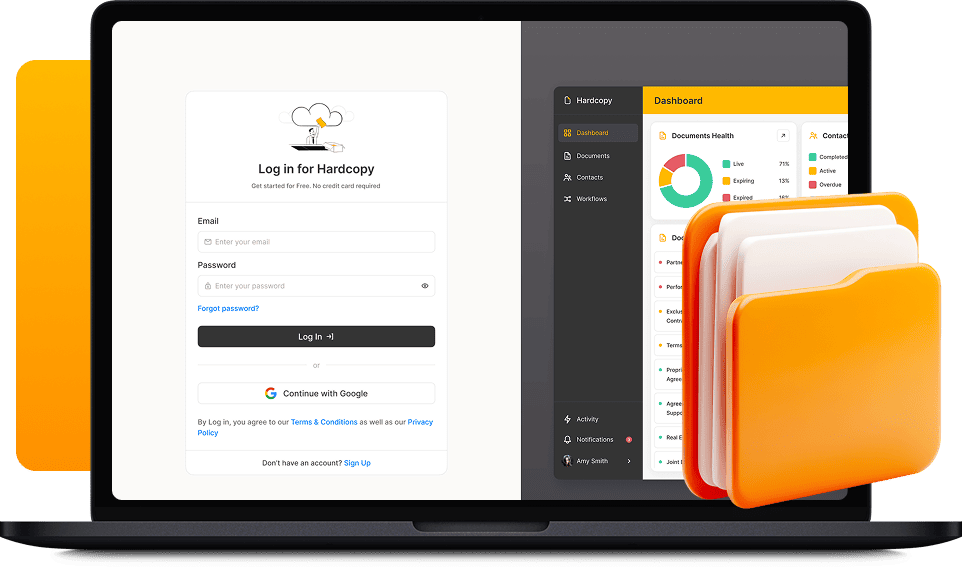
A document management platform we built to simplify storage, deadline management, and document workflow for its users.
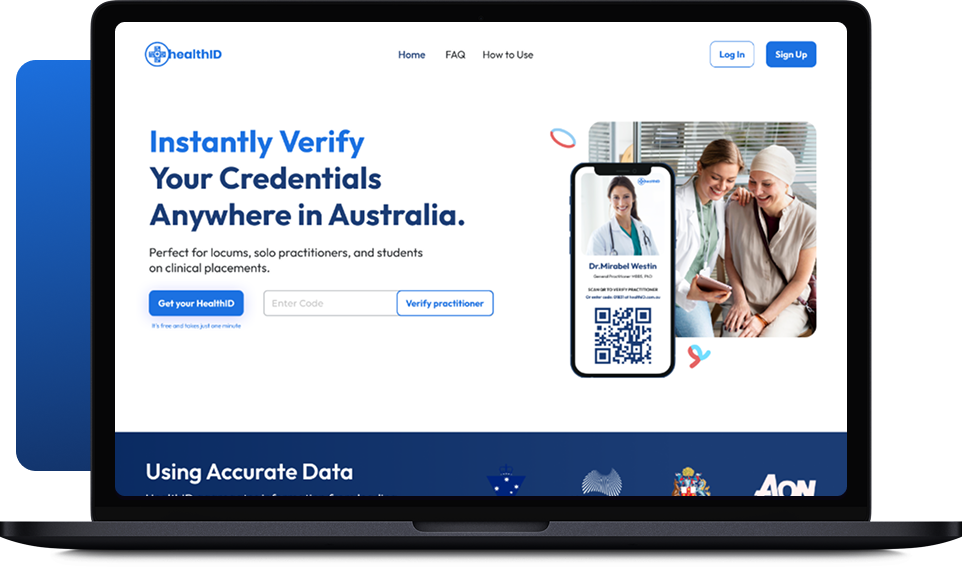
A digital credential-management platform for healthcare professionals — documents whose accuracy and access rules carry real consequences.
Talk to an AI for a 60-second scope, or book a 30-min call with the founder.