Google Stitch — prompts to UI, shipped to production code
Google Stitch is Google’s free, Gemini-powered design tool: describe an interface — or upload an image — and it generates a polished UI design and front-end code, exportable to Figma or straight to AI Studio. It’s the Google-ecosystem counterpart to Claude Design, and the value we add is the same: taking those AI-generated designs to production — implementing them in real, owned code, wiring the backend and data Stitch doesn’t touch, and hardening it for real users.
Powered by Gemini (Gemini 3 since Dec 2025) — built from the acquired Galileo AI
What Google Stitch actually is
Let’s be precise, because the marketing around it often isn’t: Stitch is a prompt-to-UI design tool. It generates beautiful interfaces and front-end code — not backends, not databases. Knowing exactly where it stops is what makes it useful.
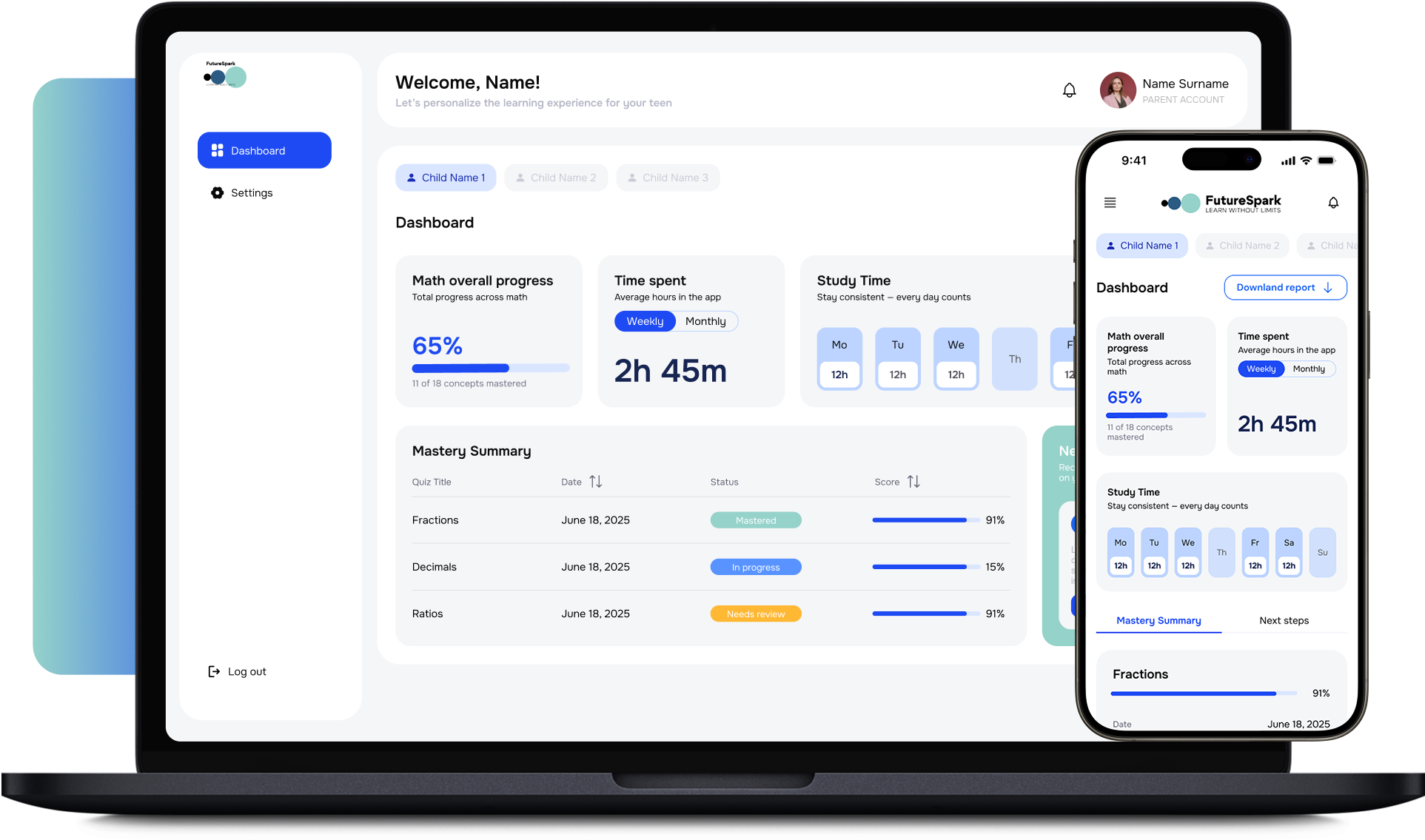
Google Stitch is a free, browser-based AI design tool from Google Labs, launched at Google I/O 2025 (built from the acquired Galileo AI) and powered by Gemini. You describe an interface in plain language — or upload an image or wireframe — and Stitch generates a polished UI design and front-end HTML/CSS, with multiple layout variants to choose from. Since the March 2026 update it’s a multi-screen workspace: an AI-native canvas, interactive click-through prototypes, coherent design systems across connected screens, and voice-driven “vibe design.”
Crucially, it exports cleanly: to Figma as editable layers, to HTML/CSS as a dev-ready scaffold, or straight into Google AI Studio / Antigravity to build the full application. It runs in two modes — Standard (Gemini Flash: fast, with Figma export) and Experimental (Gemini Pro: higher fidelity, image input, but HTML/CSS export only). And it’s free today, with paid plans expected once it graduates out of Labs.
Stitch is the Gemini-powered counterpart to Anthropic’s Claude Design — two prompt-to-UI front doors we use depending on the project. And our value with both is identical: a generated UI is a fast, beautiful starting point, not a finished product. We take it to production — implementing it in real, owned code, building the backend and data Stitch deliberately doesn’t touch, and hardening it for real users.
Why we reach for Stitch
Prompt & image → UI in seconds
Describe an interface, or upload an image or wireframe, and Stitch generates a polished web or mobile UI — with multiple layout variants to explore. The fastest way to get from idea to a real-looking screen.
Front-end code, not just mockups
Stitch outputs front-end HTML/CSS, not only static images — a real scaffold our engineers can build on. (It generates the interface; backend and data are ours to add.)
Figma export with editable layers
Standard mode exports to Figma as editable layers, so designers can refine in the tool they already use — Stitch for the fast first pass, Figma for the craft.
Multi-screen prototypes
Since March 2026, connect screens into interactive click-through prototypes with coherent design systems across them — not just one screen at a time.
Two modes for speed vs fidelity
Standard (Gemini Flash) for quick layouts and Figma export; Experimental (Gemini Pro) for higher-fidelity, image-driven designs (HTML/CSS export). Pick speed or quality per session.
Free, and pipes to the build step
Free via Google Labs today, and exports straight to AI Studio / Antigravity to build the full app — a clean handoff from design to development.
Our honest review of Google Stitch
We use Stitch on real work, so this is a practitioner’s review, not a press release. It’s a free Labs experiment — genuinely useful, with real limits. Here’s the honest split.
✓
Where it shines
Prompt/image-to-UI speed. Idea or screenshot to a polished, multi-variant UI in seconds — the fastest first-pass design tool we’ve used.
Dual export. Figma (editable layers) for designer refinement, or HTML/CSS for developers — it fits both halves of a real team.
Multi-screen prototypes. Since March 2026, click-through flows with a coherent design system across screens, not one-off mockups.
It’s free. Genuinely free via Google Labs right now — the most generous the access window may ever be.
Great for non-designers. Founders, PMs, and developers get a real-looking UI without design skills.
!
Where it falls short
It’s a starting point, not Figma. No component-level precision, no design-system management at scale, no team collaboration depth. You can regenerate, but you can’t select-and-tweak individual elements the way you can in Figma.
UI only — no backend or data. Stitch designs the interface and front-end; it does not generate backends, databases, or business logic. (The most common misconception about it.)
Mode trade-offs. Experimental (Pro) gives better designs and image input but can’t export to Figma; Standard exports to Figma but is lower-fidelity.
Generation caps & instability. ~350/mo Standard, ~50/mo Experimental, and it’s an experiment — expect rough edges and shifting limits.
Free won’t last. Paid plans are expected once it leaves Labs (likely late 2026).
From Stitch design to production code
Stitch’s real value isn’t the mockup — it’s that the mockup doesn’t have to stop at a mockup. It exports to real, buildable artifacts, and that’s where we take over.
Stitch01
Design
Prompt or image → polished UI with variants, refined on the AI canvas into multi-screen prototypes. Fast, on-brand, and clickable — in hours, not weeks.
Figma · HTML · AI Studio02
Export
Out to Figma (editable layers) for designer refinement, HTML/CSS for a dev scaffold, or straight to AI Studio / Antigravity. A clean handoff, not a dead-end image.
NerdHeadz03
Build & ship
Our engineers implement the UI in real, owned code (Next.js, React, your stack), build the backend and data Stitch doesn’t touch, and harden it for production. The design becomes a product.
This is the same design-to-code discipline we run with Claude Design and feed into AI Studio / Claude Code — a generated UI is the front door; we build the rest.
Stitch vs Figma — the honest take
Stitch gets called a Figma killer. It isn’t — and treating it as one would cost you. They do different jobs. We use both.
Google Stitch
Figma
Best for
Fast prompt/image → first-pass UI; non-designers; rapid ideation
Detailed, pixel-perfect production design; design systems at scale; professional teams
Detailed, pixel-perfect production design; design systems at scale; professional teams
How you work
Hand-craft and edit every element
Element-level editing
Full, precise control
Design systems
Mature, component-level, team-shared
Collaboration
Deep, real-time, industry-standard
Code export
Dev-mode handoff
Cost
Paid tiers
Our verdict
✓ FIGMA WINSProduction design & design systems
We use both, often together: Stitch (or Claude Design) for a fast, on-brand first pass, then Figma when the work demands pixel-level craft and a maintained design system. They’re stages, not rivals. See our Figma and UX/UI design pages.
Stitch & Claude Design — the two prompt-to-UI front doors we use
Two ecosystems, two excellent prompt-to-UI tools. We use both, and which we reach for depends on the project — not on loyalty.
Google Stitch
The Gemini-powered design tool. Strong when you’re already in the Google ecosystem, want Figma + HTML export, multi-screen prototypes, and a pipeline into AI Studio. Free today.
Anthropic’s design tool, powered by Opus. Strong on design-system matching from your codebase and a tight pipeline into Claude Code — the workflow we used to build this very site.
Both turn prompts into UI; both are starting points, not finished products. We pick the one that fits your stack and project, then run the same design-to-code discipline to take the output to production. The tool is our craft decision; the shipped software is yours.
The two modes — and where Stitch sits
Two honest pictures: which Stitch mode to use when, and how Stitch actually sits next to the incumbent design tool.
Chart 1 · The two modes
Standard vs Experimental — capability matrix
StandardGemini Flash
ExperimentalGemini Pro
Speed
Fast
Slower
Fidelity
Good
Higher
Image input
✗ NO
✓ YES
Figma export
✓ YES
✗ NO
HTML/CSS export
✓ YES
✓ YES
Generations / month
~350
~50
StandardGemini Flash
Speed
Fast
Fidelity
Good
Image input
✗ NO
Figma export
✓ YES
HTML/CSS export
✓ YES
Generations / month
~350
ExperimentalGemini Pro
Speed
Slower
Fidelity
Higher
Image input
✓ YES
Figma export
✗ NO
HTML/CSS export
✓ YES
Generations / month
~50
Standard (Gemini Flash) for speed and Figma export; Experimental (Gemini Pro) for higher-fidelity, image-driven designs but HTML/CSS only. The trade-off is real — we pick per session based on whether the work needs Figma refinement or maximum design quality.
Source: Endurance Hub; GUVI; Toolworthy Google Stitch 2026.
Chart 2 · Where Stitch sits
Stitch next to the incumbent design tool
~80–90%FIGMA · PRO UI/UX SHARE
The incumbent owns the professional design market. Stitch doesn’t try to take it.
First-passSTITCH’S ROLE
UI ideation and the fast first draft — a starting point, not a Figma replacement.
FreeSTITCH’S COST · TODAY
Via Labs, no card; paid plans expected once it exits Labs (late 2026).
GeminiPOWERING MODEL
Gemini-powered (Gemini 3 since Dec 2025) — the third Google-ecosystem tool we use.
Figma still owns 80–90% of professional UI/UX design, and Stitch doesn’t try to take that — it targets the fast first-pass and the people who’d never open Figma, then hands off to it. We use it for exactly that, and take the output to production.
Source: Index.dev; Moda; MindStudio Google Stitch 2026.
When Stitch isn’t the right tool — and we’ll say so
If you need pixel-perfect production design, a maintained design system, or deep team collaboration, that’s Figma and a human designer — Stitch is a first pass, not a replacement. If you need a backend, database, or business logic, Stitch doesn’t do that at all — that’s AI Studio / Claude Code and our engineering. And if your design needs are complex, bespoke, or accessibility-critical, a generated first pass will only take you so far before human design judgment has to take over.
Stitch is a genuinely useful, genuinely free accelerator for the front of the design process — and that’s exactly how we use it. But “generates a UI” and “ships a product” are very different sentences, and the gap between them is where the real engineering lives. We’ll tell you honestly which tool fits each stage of your project.
Proof · Clients
Real teams who hired NerdHeadz to ship what they imagined.
From a prompt-generated UI to a shipped product — what a buyer evaluating design-to-code partners actually cares about.
01 / 07
“
This system has been a dream of mine for almost a year. I have tried to build it myself and finally came to the conclusion I needed help. The NerdHeadz team has built me exactly what I was dreaming about and more! Working with them has been an absolute pleasure. I can't thank them enough.
Stitch designs the interface; we implement it in real, owned code, build the backend and data it doesn’t touch, and harden it for real users. The design becomes a product.
Fluent in both AI design ecosystems.
Stitch (Google) and Claude Design (Anthropic) — we use whichever fits your stack and project, then run the same design-to-code discipline. No single-tool dogma.
Honest about what it is.
We use Stitch where it wins (fast first-pass UI) and Figma where it wins (production design). You get the fastest path to a great result, and the truth about where a generated UI stops.
Prototype fast, ship 3× faster.
We use Stitch’s speed to get to a real-looking UI in hours, then ship the production product 3× faster than a traditional team — rapid AI design plus disciplined engineering.
Google Stitch FAQ
Google Stitch is a free, browser-based AI UI design tool from Google Labs, launched at I/O 2025 (built from the acquired Galileo AI) and powered by Gemini. You describe an interface in plain language — or upload an image — and it generates a polished UI design and front-end HTML/CSS, with multiple layout variants, exportable to Figma or AI Studio. It’s a design tool, not a full app builder.
No — and this is the most common misconception. Stitch generates the UI (the interface design and front-end HTML/CSS). It does not generate backends, databases, or business logic. For the full application — backend, data, auth, integrations — you build on top of the Stitch design, which is exactly the work we do. (If you want full-app generation, that’s closer to AI Studio’s Build mode.)
You give it a text prompt or an image/wireframe, and Gemini generates a UI design — often several layout variants. Since March 2026 you can connect screens into multi-screen interactive prototypes with a coherent design system, and refine on an AI-native canvas (including voice "vibe design").
Yes, in Standard mode (Gemini Flash) — it exports editable layers to Figma. Experimental mode (Gemini Pro) gives higher-fidelity, image-driven designs but exports HTML/CSS only, not Figma. So there’s a real trade-off: speed + Figma export (Standard) vs maximum fidelity + image input (Experimental).
Yes, currently free via Google Labs (no credit card), with generation caps (~350/month Standard, ~50/month Experimental). Analysts expect paid plans once it exits Labs, likely late 2026 — so the current free window may be the most generous it ever is.
Different jobs. Stitch is best for fast prompt/image → first-pass UI and ideation, especially for non-designers. Figma is the professional standard for pixel-perfect production design, design systems at scale, and team collaboration (it holds ~80–90% of the market). We use both: Stitch for the fast first pass, Figma for the craft. Stitch even exports to Figma so you can move between them.
Yes — that’s what we do. Stitch generates the UI and front-end scaffold; we implement it in production code (Next.js, React, your stack), build the backend, data, auth, and integrations it doesn’t touch, and harden it for real users. A Stitch design is a fast, beautiful starting point; we take it the rest of the way.
Both are prompt-to-UI design tools — Stitch is Google’s (Gemini-powered), Claude Design is Anthropic’s (Opus-powered). Stitch is strong in the Google ecosystem with Figma + AI Studio export; Claude Design is strong on design-system matching from your codebase and a tight pipeline into Claude Code. We use both, choosing per project. They’re counterparts, not competitors, in our workflow.
Web and mobile app interfaces — dashboards, landing pages, app screens, CRUD interfaces, multi-screen flows. It’s a UI/interface tool, not built for presentation decks or general marketing graphics. For non-UI design work, other tools fit better.
It produces front-end HTML/CSS scaffolds that are a genuine starting point — useful structure, not production-grade code. We treat it as a first draft: we refactor it into clean, maintainable, production code in your framework, add state management and accessibility, and connect it to real data. The export saves time; it doesn’t replace engineering.
As a starting point, yes; as a finished design tool, no. It lacks component-level precision, design-system management at scale, and collaboration depth — and it’s an evolving Labs experiment with instability and shifting limits. We use it to accelerate the front of the process, then move to Figma and real engineering for production.
Absolutely, and it’s a great starting point. Bring us your Stitch design (or export); we’ll refine it (in Figma if needed), implement the UI in production code, build the backend, data, and logic Stitch doesn’t generate, and ship a real product. You keep the speed of the AI design without the limits of stopping at a mockup.
Whether the first-pass UI starts in Stitch, Claude Design, or Figma, the proof is what we ship. Representative UI-rich products where design-to-code was the central discipline.
NerdHeadz portfolio — design-to-code and UI-rich builds.
Stitch is an active Google Labs experiment; modes, models, generation caps, export behavior, and pricing change frequently. Figures here represent a 2026-Q2 snapshot; we re-verify the live state in-product before any engagement.
Let’s scope
Designed it in Stitch? Let’s build it for real.
30-minute scoping call. Bring us a Stitch design (or just an idea) and we’ll refine it, implement it in production code, build the backend and data Stitch doesn’t touch, and ship a real product — 3× faster than a traditional team.