In this article06 +
Bubble now has an official MCP server. In October 2026 Bubble opened the Bubble MCP in beta: an AI coding agent such as Claude Code or Codex can sign in to your Bubble account and build or edit a real Bubble app. It can create pages, data types, privacy rules, workflows and API Connector calls. Everything it builds stays a normal Bubble app that you can open and change in the visual editor.
We build client products on Bubble and in custom code. The week the MCP came out, we connected it to Claude Code and used it on a production integration. Then we built a demo app from scratch to find the limits. Here is what changed, what it is good at, and where it still needs a human.
What the Bubble MCP actually is
MCP (Model Context Protocol) is the open standard that lets AI agents call tools in other systems. Bubble's server lives at mcp.bubble.io/mcp. You add it to your agent once:
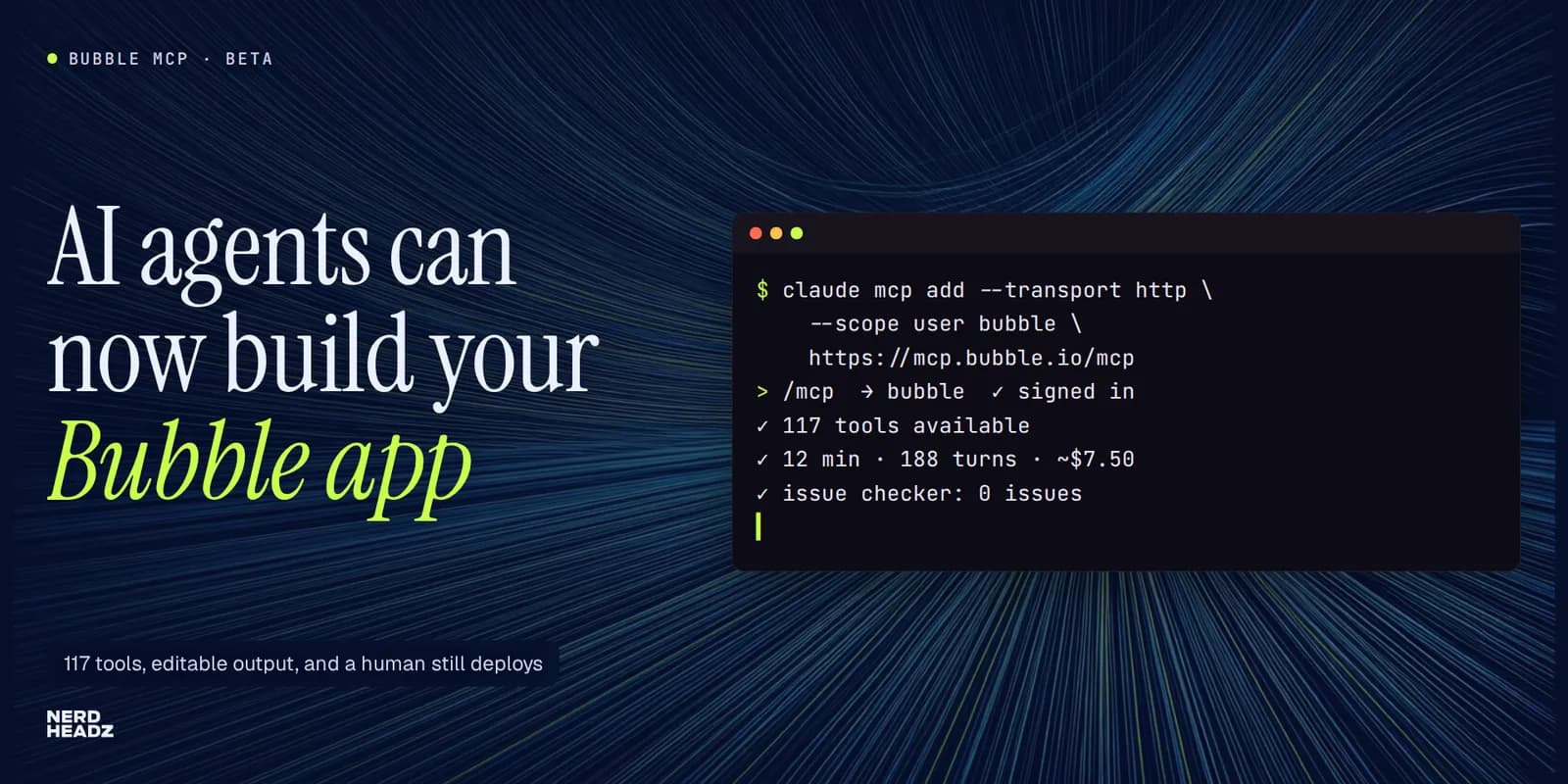
claude mcp add --transport http --scope user bubble https://mcp.bubble.io/mcpThen you type /mcp in Claude Code, pick bubble and sign in to Bubble in the browser. From then on the agent works with your permissions, on any app your account can open.
What surprised us is how broad the toolset is. Our session exposed 117 tools, grouped like this:
- Apps and structure: create apps, read the app outline, pages, data types and the plan context.
- Pages and elements: create pages, reusable elements and elements; set properties, conditionals, transitions and custom states.
- Styles: styles, color and font tokens.
- Workflows: events, actions, and backend workflows exposed through the Workflow API.
- Data: data types, fields, privacy rules and option sets; search, create, update and delete records in the test database.
- API Connector: collections, calls, and initializing a call with a real response.
- Plugins: search, install and uninstall.
- Testing: issue checks, test cases, debug sessions and server log queries.
- Safety: branches, savepoints and undo.
It is free while in beta, it does not use Bubble AI credits, and Bubble doesn't add its own rate limits during the beta. You pay only for your AI provider.
The limits that matter
Bubble is clear about what the agent cannot do, and these limits are deliberate:
- It cannot deploy. Changes stay in development until a person deploys them.
- It can read the live database but not change it. It writes only to the test database.
- It cannot merge branches. It can work on a branch you choose.
- Some things stay manual: OAuth2 setup, buying paid plugins, and restoring records it deleted.
Our hands-on testing added a few more:
- Savepoints depend on your plan. On the Free plan, the agent's savepoint request was refused with "App plan does not include version control". On a paid plan, make a savepoint before every large change.
- Option set changes can't be undone. Each write came back with an "Undo unavailable" warning, so a mistake there is deleted by hand.
- Writes are batched and checked. When one step in a batch had a type mismatch (for example, a group's data source pointing at the wrong type), Bubble rejected and rolled back the whole batch. That is a good safety net. The agent recovered by splitting the steps.
- Some tools aren't open to every sign-in yet. User impersonation tokens returned "not yet available to sessions signed in with Bubble".
- Not every agent can sign in yet. Bubble uses a newer sign-in standard (CIMD) that some tools, Cursor among them, didn't support at launch.
What we built with it in 12 minutes

To test the limits without touching client work, we asked Claude Code to build a small client-request tracker for an agency from an empty account. We ran it in four short stages.
- Data model. Option sets for status (each with a color) and priority. Client and Request data types. Privacy rules so a user sees only requests they created or that are assigned to them.
- Interface. Brand color and font tokens, a login page, a request list with a status filter, colored status chips and an overdue highlight, a "New request" popup, and a request page with status buttons.
- Back end and integrations. Sample data in the test database. A backend workflow that flags a request as overdue, scheduled on its due date. An API Connector call to a public holidays API that warns when a due date falls on a holiday. Five test cases. A check of the server logs.
- Visual fix. Looking at the result in the editor, we spotted something no API check had caught: the request list was squeezed so narrow that titles wrapped every few letters. We described the bug, and the agent fixed the layout properties in one pass.
In total the agent ran for 12 minutes over 188 turns. Our Claude usage for the session cost about $7.50, and Bubble's issue checker reported zero issues at the end. That is not a finished product, but it is a working, editable starting point that would otherwise take hours of clicking in the editor.
How we use it on real client work

The demo is the easy case. The more interesting result came from a client project, a Bubble app that needed a heavy AI feature: analysing documents and monitoring outside sources every day. Work like that does not belong inside Bubble workflows, so we split the system:
- Bubble stays the product the user sees: screens, users, teams and records.
- A separate AI engine runs the heavy work behind an API.
- Bubble talks to the engine through the API Connector, and the engine reports back through Bubble backend workflows.
The Bubble MCP changed how we built the Bubble half. We ran three agents, each with one job:
- A planning chat with the Bubble MCP inspected the app read-only first. It mapped the data types, statuses and file storage, so the integration was designed against the real data model rather than our assumptions.
- Claude Code with the Bubble MCP built both sides. It wrote the engine and the Bubble pieces: new fields and option sets, the API Connector calls (initialized with real sample responses), and the backend workflows.
- A browser agent clicked through the result like a user to catch what the API can't see.
Three rules kept it safe:
- Every Bubble change goes into a separate branch. The agent never works in the live version.
- People handle anything sensitive. Every write needs a person's confirmation, and people paste the API keys themselves.
- Deployment happens only after an explicit human OK.
The most useful moment was debugging. A backend workflow failed with an HTTP 422 "JSON decode error". The agent queried Bubble's server logs through the MCP and found the cause in minutes: a yes/no value was converted to text with the wrong field name, so an unquoted "no" ended up in the JSON body. Without log access, that is the kind of bug that eats an afternoon.
Who should use it, and how
The Bubble MCP is a strong fit if you:
- maintain an existing Bubble app and want an agent to explain it, document it or extend it
- connect Bubble to an external back end (the API Connector and backend workflow tools save a lot of clicking)
- debug workflows from server logs
- need a fast first version you will refine in the editor
Be careful if you:
- work directly on a live app without branches or savepoints
- expect the agent to judge design quality on its own (check the result visually)
- hand it sensitive production data (it can read the live database)
Our practical advice:
- Start read-only. Ask the agent to describe your app before it changes anything.
- Work in a branch, with a savepoint. Use a test app if your plan has neither.
- Split work into small stages with a clear brief for each, and review between stages.
- Keep humans on the sensitive steps: keys, sign-ins, deployment.
- Look at the result. An issue checker with zero findings doesn't mean the layout is right.
What this means for teams building on Bubble
For years, the trade-off with no-code was speed against control: fast to build, slow to change at scale. An agent that can read and edit the whole app moves that line. Bubble apps can now be built and maintained with the same AI-assisted workflow teams use for code, and the visual editor stays the place where you review, adjust and deploy. The best teams will treat the MCP like a capable junior engineer with full tool access: fast, tireless, and supervised.
We are publishing a step-by-step guide to Bubble MCP with Claude Code next, with the exact prompts, briefs and safety rules from this build. If you want help bringing AI into an existing Bubble app, or splitting a heavy AI feature out of Bubble into its own engine, talk to NerdHeadz.
“Treat the Bubble MCP like a capable junior engineer with full tool access: fast, tireless, and supervised.”
FAQ
Frequently asked questions
What is the Bubble MCP?
Bubble's official Model Context Protocol server (beta, October 2026). It lets AI agents such as Claude Code and Codex sign in to your Bubble account and build or edit apps: pages, data types, privacy rules, workflows, API Connector calls and test data. The result is a normal Bubble app you can edit in the visual editor.
How do I connect Claude Code to Bubble?
Run `claude mcp add --transport http --scope user bubble https://mcp.bubble.io/mcp`, then type /mcp in Claude Code, select bubble and sign in to Bubble in the browser.
Can the Bubble MCP deploy my app or change live data?
No. It writes only to the development version and the test database. It can read the live database but not change it, and deployment stays a manual step.
Does the Bubble MCP cost anything?
It is free while in beta and does not use Bubble AI credits. You pay your AI provider; our 12-minute demo build cost about $7.50 in Claude usage.