
From Skool to her own community platform, in two weeks
After we turned Amy Olson’s custom GPTs into an AI SaaS for Airbnb hosts, she came back with the next step: bring her Skool community, her course and her live sessions inside the same product. We built a full members’ platform and launched it on live data, with every account and paying subscription carried over.
- 12
- modules delivered: feed, members, messages, classroom, events, notifications, admin, paid plans and more
- ~2 weeks
- from discovery to production launch
- 23
- video lessons moved into a member-only classroom
- 0
- records lost in the migration; all 10 Founding subscriptions kept
- < 1 hour
- planned downtime on launch night
- 1,500+
- automated tests, each proven to fail on a planted bug
Technology stack
The client
Amy Olson is a Top 1% Airbnb Superhost who teaches hosts her S.M.A.R.T. Hosting Formula. After the AI app went live, her paying members still had to jump between three places: the app for the tools, Skool for the community and course, and Zoom links shared by hand for live sessions.
The challenge
- 01Own the community. Skool held her members, conversations and course, and offers no open API to move them.
- 02One place, one login. Tools, course, community and events had to live behind the same account and the same plans.
- 03New ways to sell. A cheaper DIY plan without the community, a fair upgrade path, and room for paid coaching later.
- 04Launch on live data. Real members and live Stripe subscriptions were already on the platform. Nothing could be lost, and Amy is not technical, so she had to run it all herself afterwards.
The solution
We extended the existing app instead of bolting on a second system. Every new area plugs into one access model: a member’s plan decides what they can see, and the server checks it on every request, not just in the menu. A separate staging site, a copy of production with test data and Stripe in test mode, let Amy review each phase before anything reached her members.
What we built
Community feed
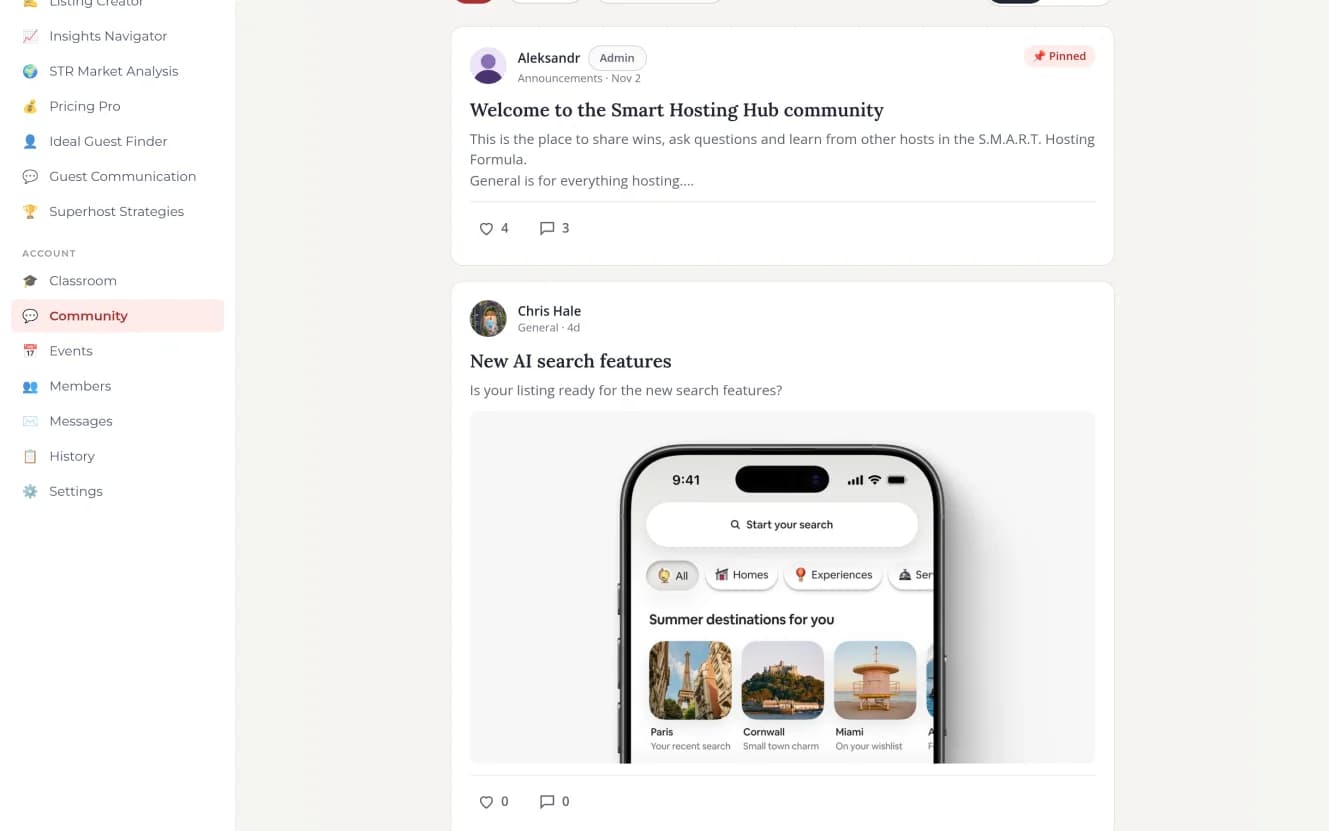
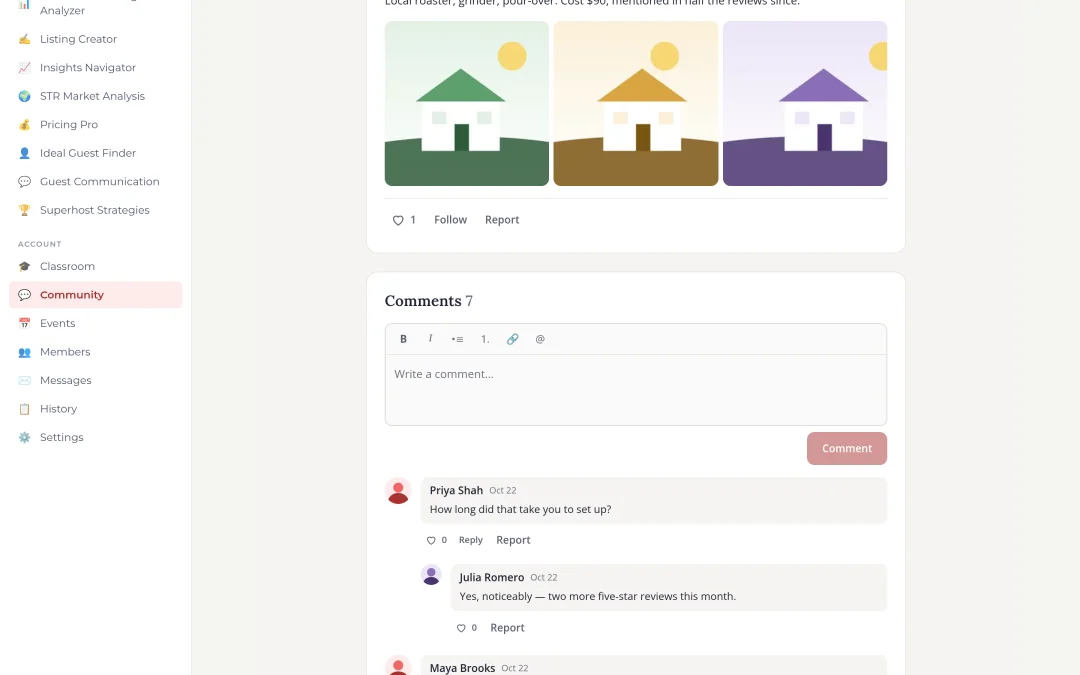
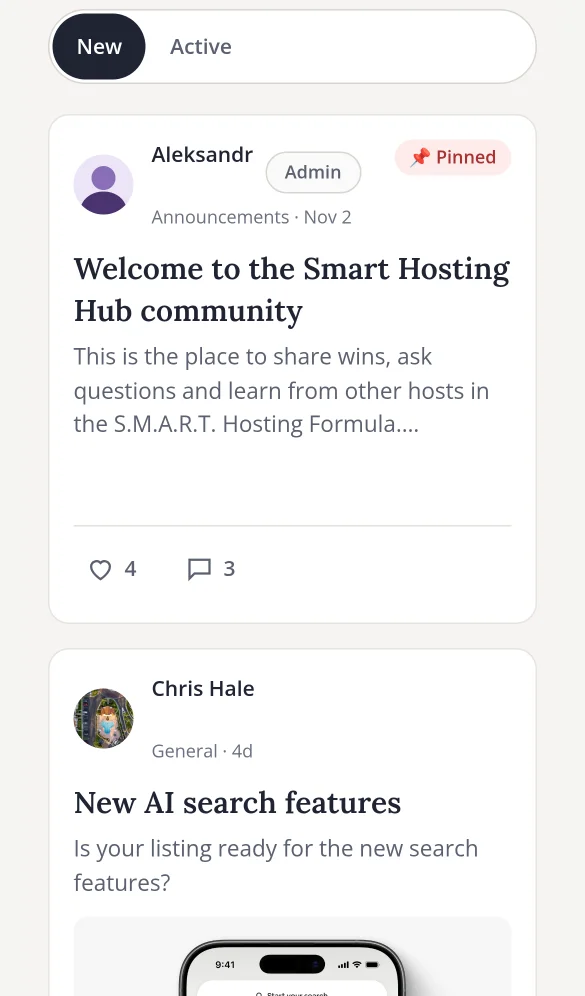
Posts with photos, video and link previews, comments, replies, likes, @mentions, pinned announcements and categories. New posts appear live.
Members
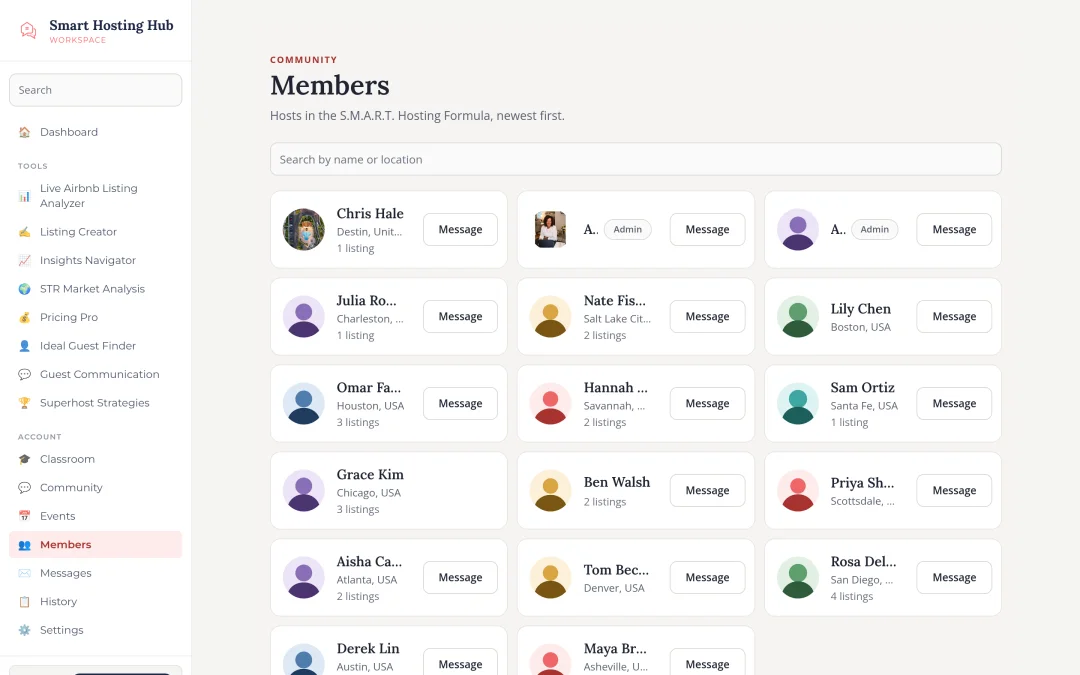
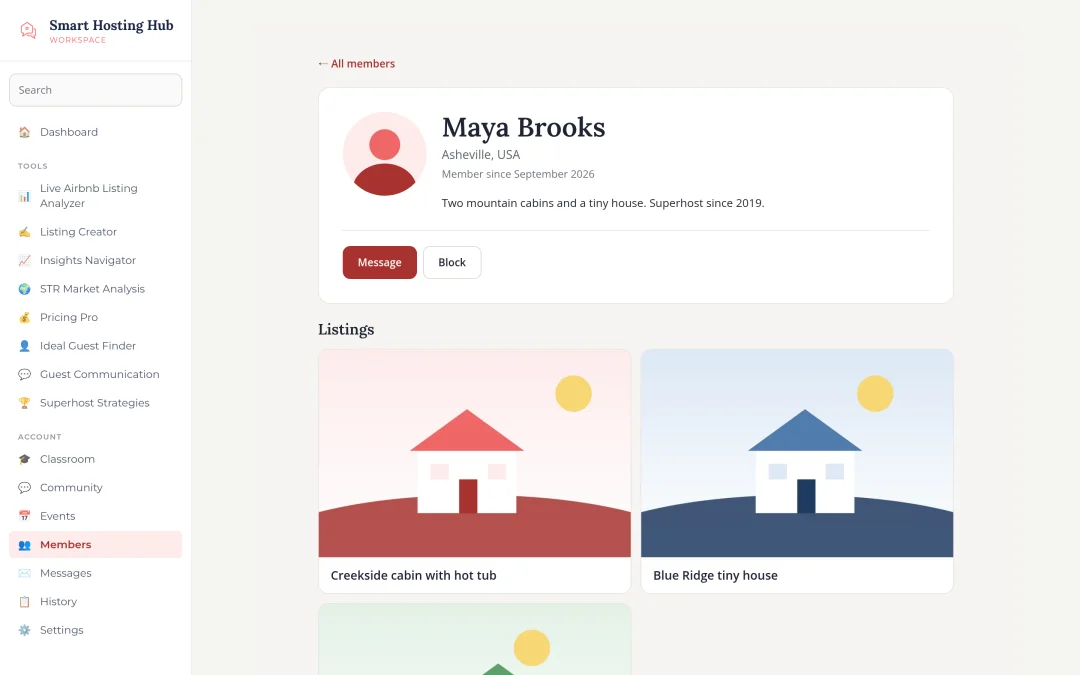
Profiles with photo, bio, location and Airbnb listings, a searchable directory and privacy settings, including blocking.
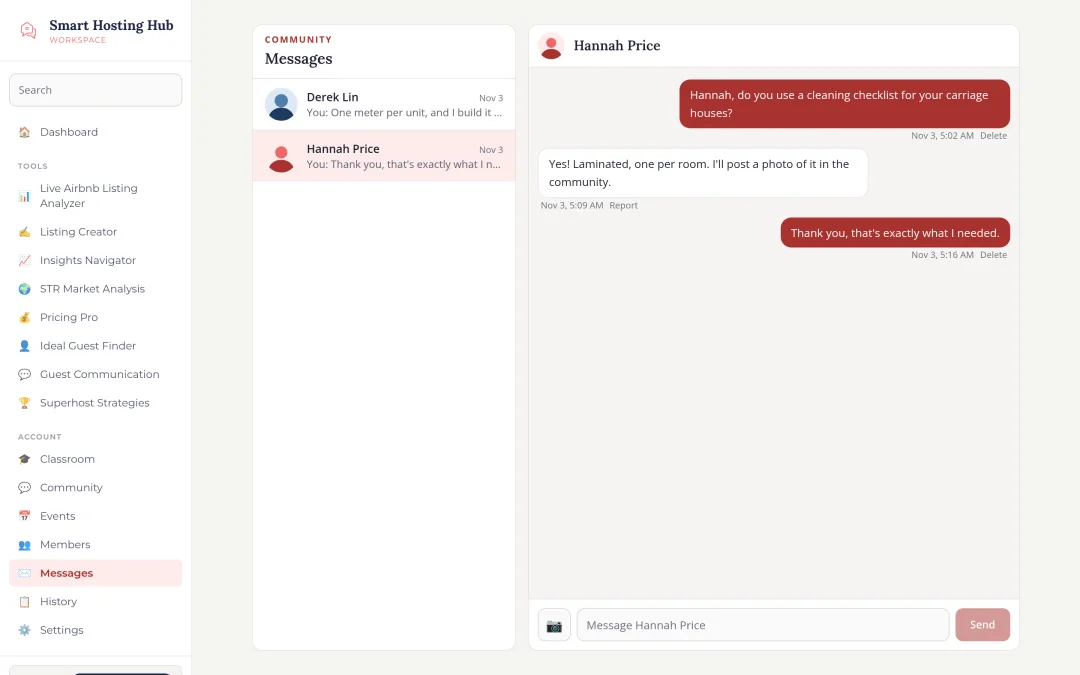
Private messages
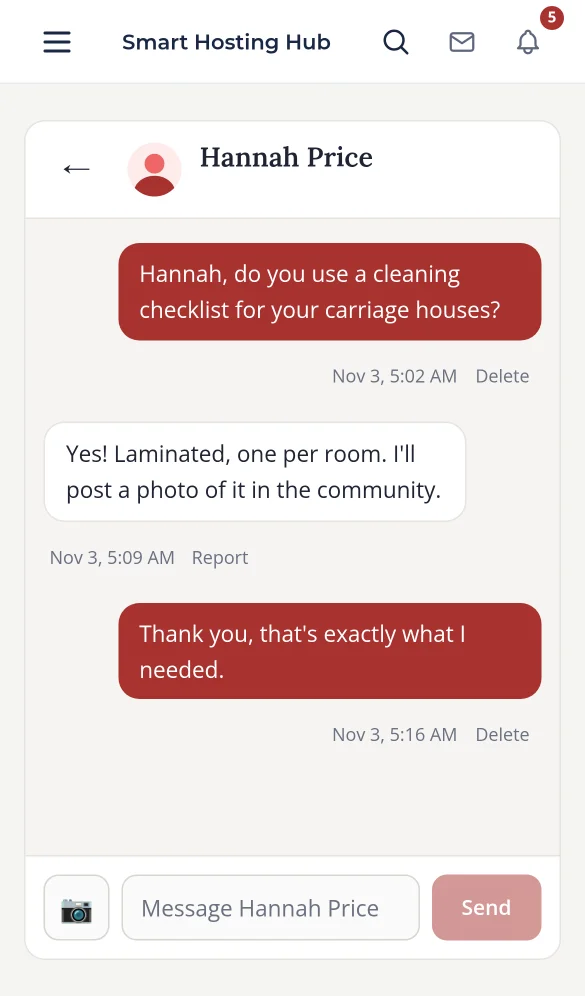
One-to-one, real time, with photos, unread counts on every device, and emails for messages left unread.
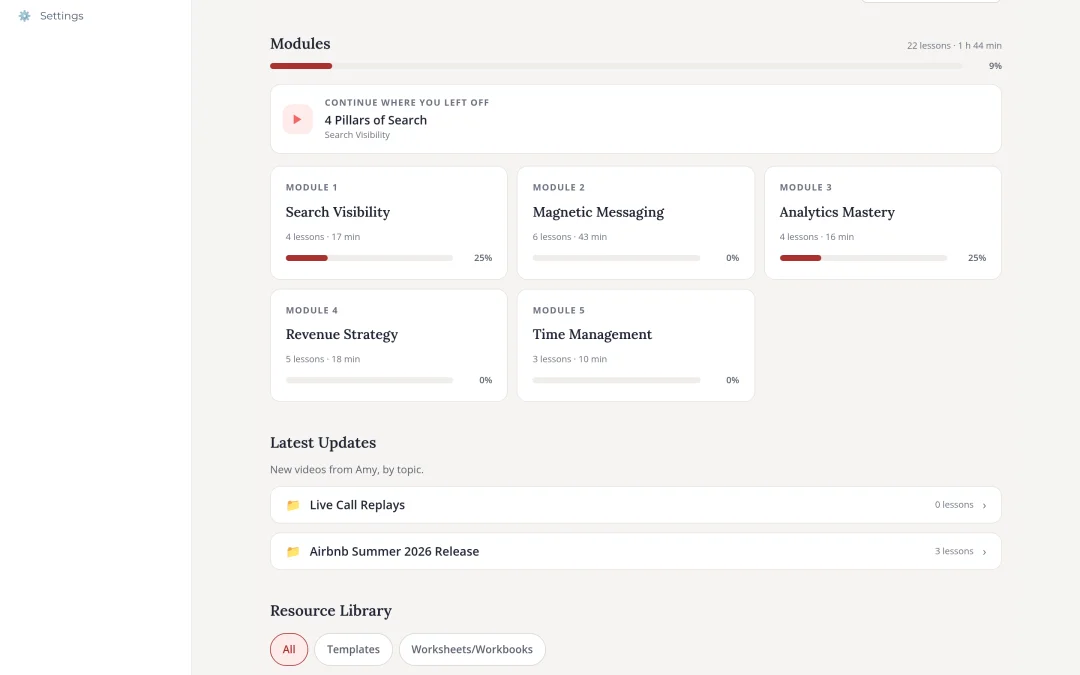
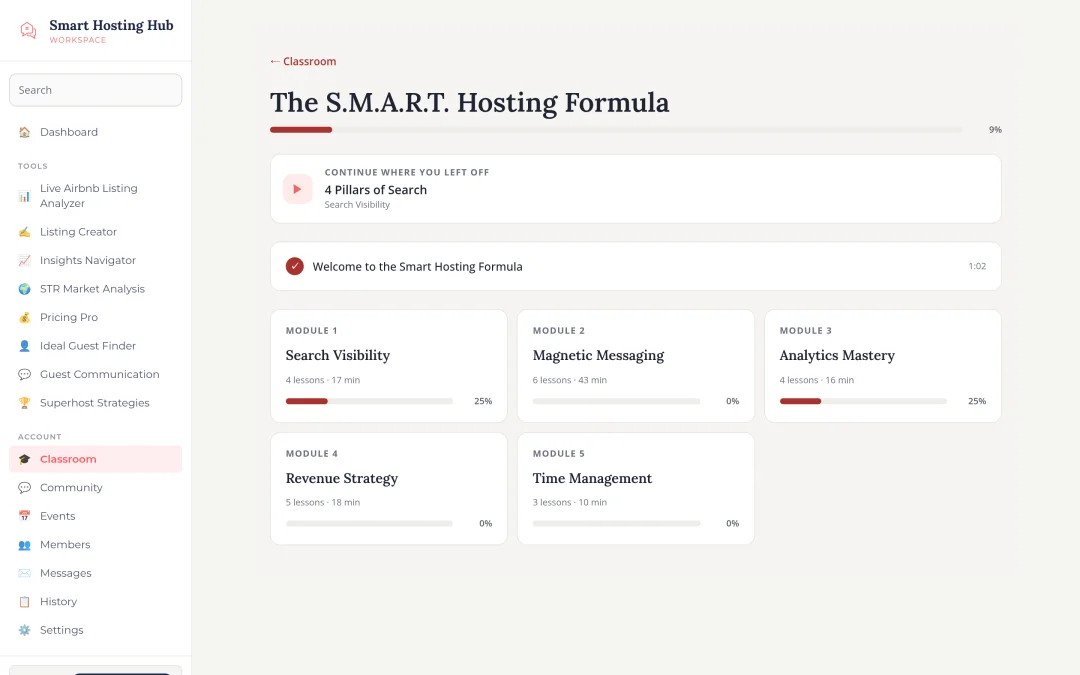
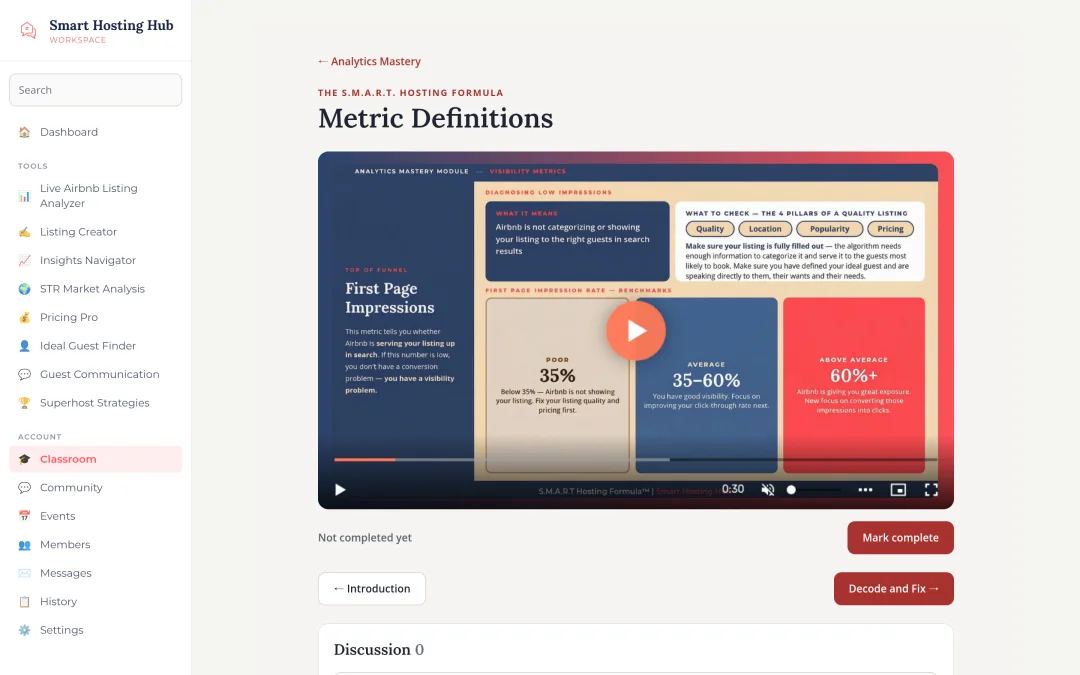
Classroom
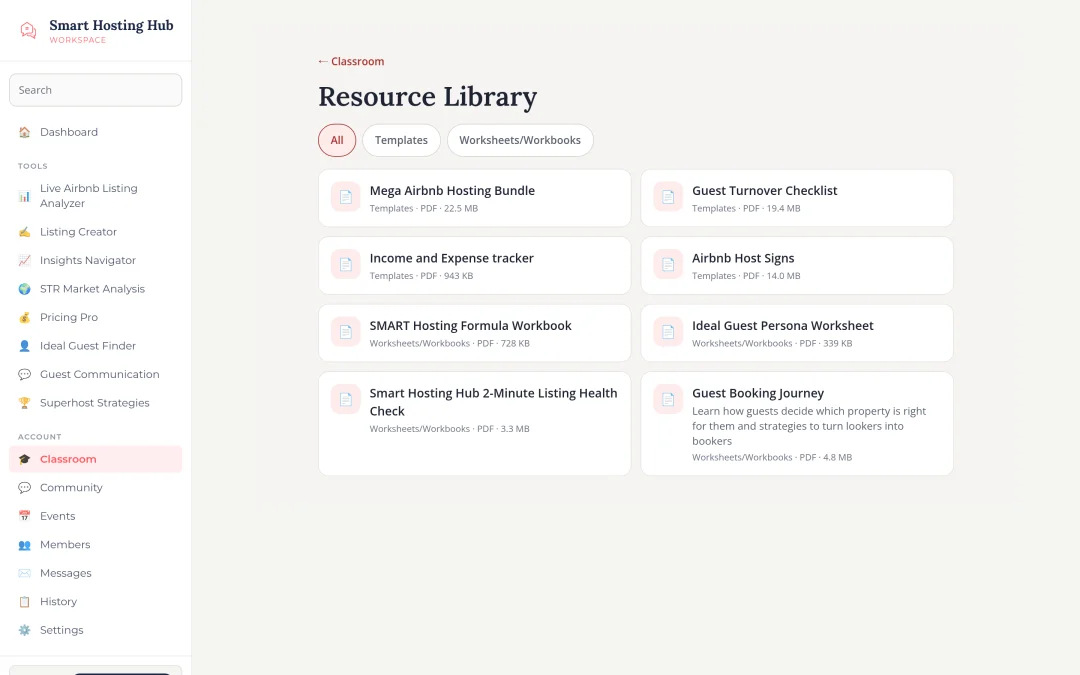
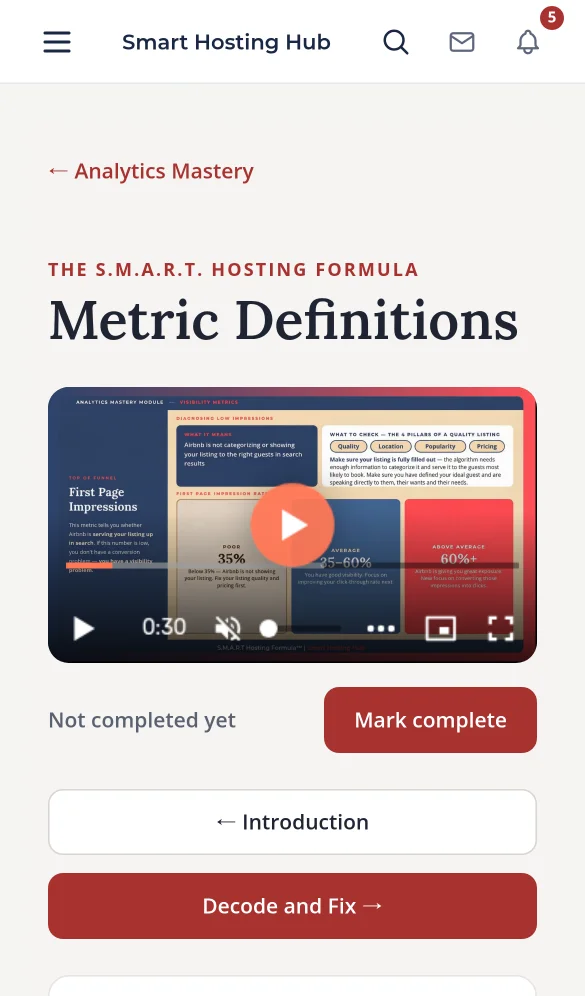
Courses, modules and lessons with protected video, progress that resumes on any device, lesson discussions and a resource library. A drag-and-drop builder lets Amy add lessons herself.
Live events
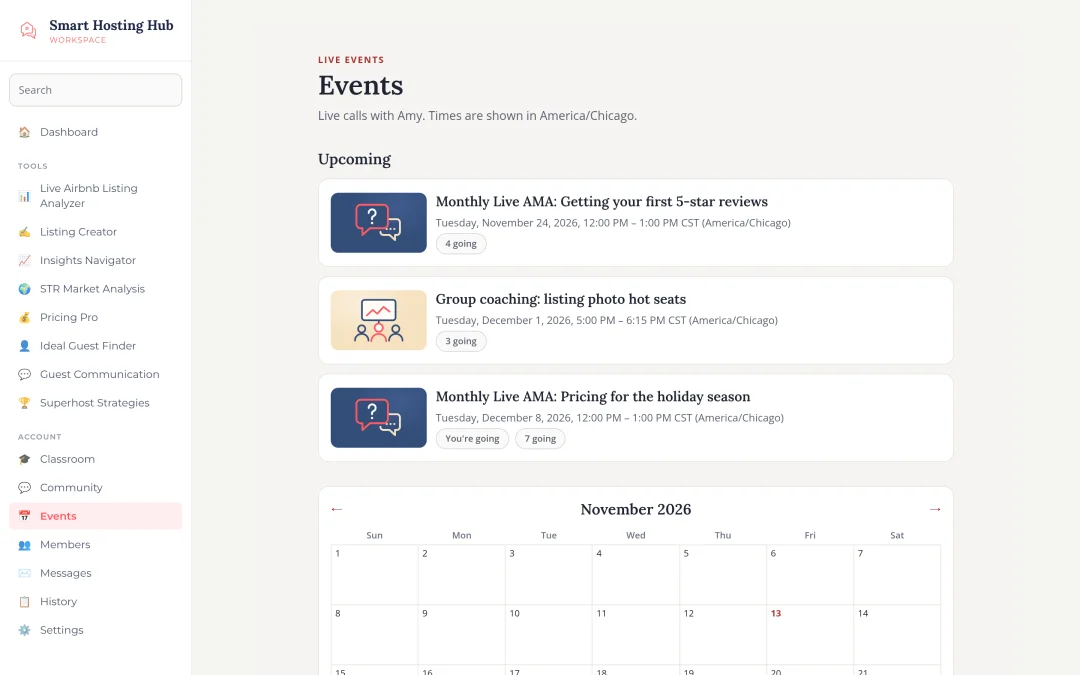
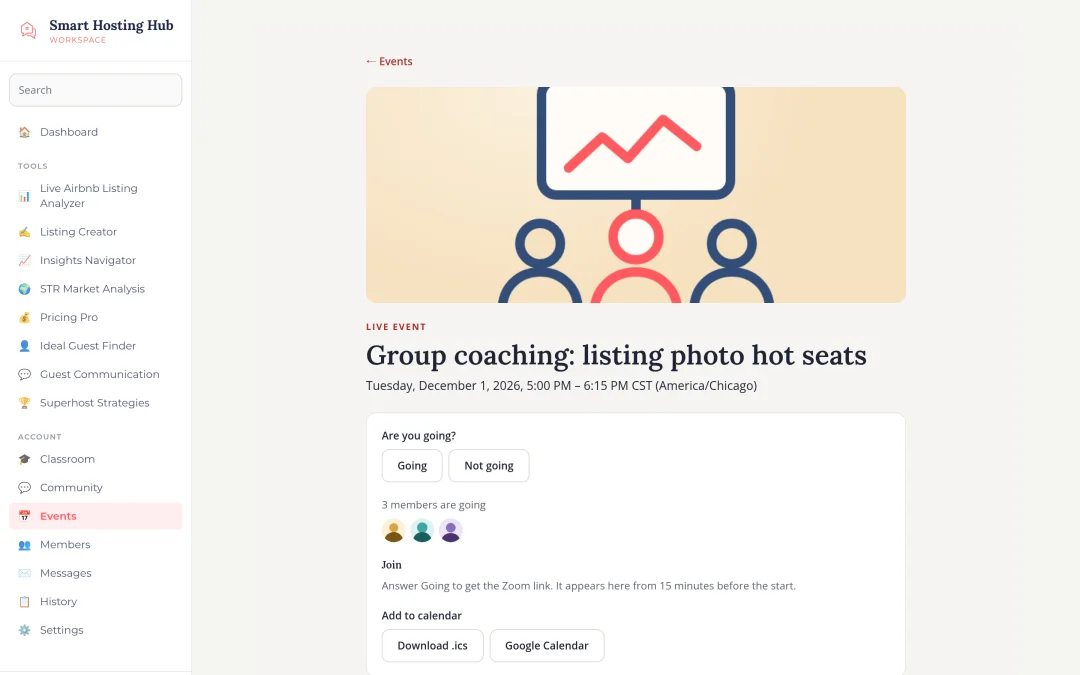
Calendar, RSVPs, times in each member’s time zone, reminders 24 hours and 1 hour before, a Zoom link released only to attendees shortly before start, and replays afterwards.
Notifications
An in-app bell, a daily email digest, per-type settings and one-click unsubscribe.
Admin and moderation
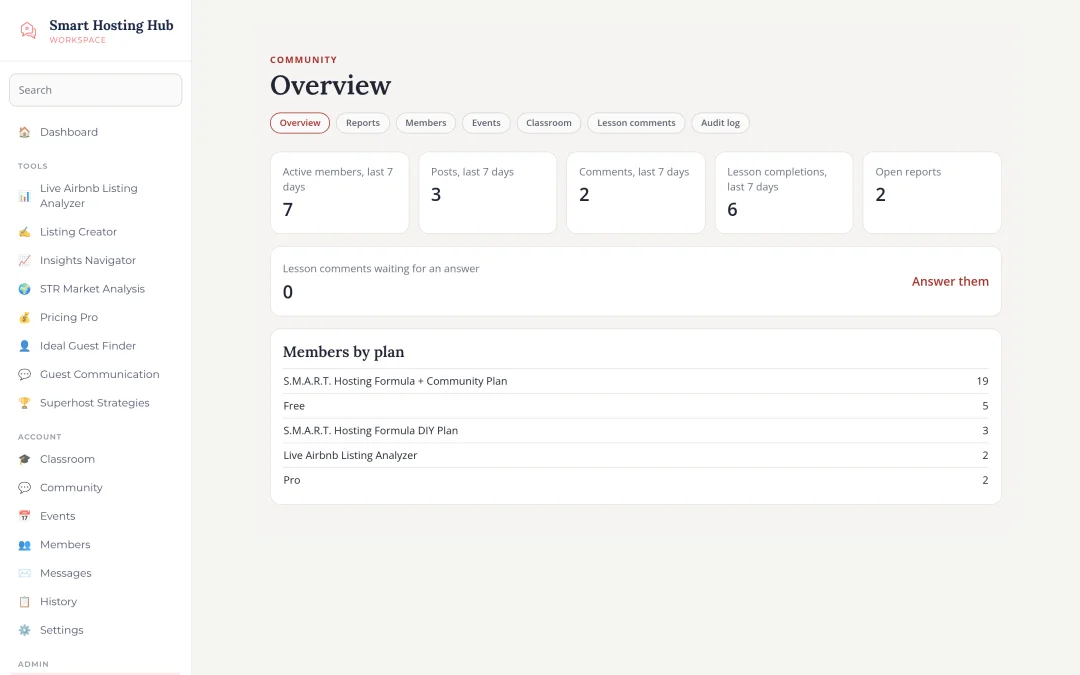
Reports queue, mute and remove, moderator role, announcements by email, audit log, and admin pages for events and the classroom.
Paid plans
A new DIY plan ($497 first year, then $97 a year) with a $500 upgrade to the full community for DIY members, and renewals, lapses and refunds handled automatically.
Member rights and safety
Search, data export, account deletion, spam limits and bulk email invitations for bringing members over.
Moving off Skool
Skool has no open API, so we planned the move around what Amy controls. Her course videos were imported from her Google Drive into Bunny Stream with a script that can be re-run safely without creating duplicates. Her existing Content Library and resources were mapped into the new classroom and library. For members, we built bulk email invitations with a dry run, so Amy could invite her Skool list to the new community in one step.
Real-time without new infrastructure
Live updates for the feed, messages and the notification bell run on Server-Sent Events through the existing Cloudflare Tunnel, with Redis passing events between servers. Each connection only receives what that member is allowed to see, and unread counts always come from the database, so they stay correct after a phone loses signal.
Protected video and files
Every lesson video streams through Bunny with signed links that expire, issued only after the server checks the member’s plan. Files and images sit in Bunny Storage behind signed CDN links. We kept costs usage-based and avoided paid add-ons such as enterprise DRM.
Billing that handles the edge cases
The DIY plan charges $497 up front and renews at $97 a year. We tested a full year in minutes with Stripe test clocks: the renewal reminder, a successful renewal, a failed card through every retry, cancellations and refunds. The $500 upgrade is re-checked at the moment of payment, and Amy gets an alert for every case that needs her judgement.
Launching on live data
The whole launch was rehearsed first on an isolated copy of the production database. On launch night, US time, we took a full backup and a server snapshot, applied 23 database migrations, imported the 23 lessons and checked every critical path before reopening. Planned downtime stayed under an hour, and every existing account and subscription came through intact.
Results
- Amy’s community, course, live sessions and AI tools now live in one product, under her brand and domain.
- She no longer depends on Skool for her members or content.
- Three plans are on sale: the Live Airbnb Listing Analyzer, the DIY plan and the full Community Plan.
- She runs it herself from the admin panel: posting, moderating, scheduling events and adding lessons.
What made it work
One access model.
Every feature asks the same question, so a new plan or a paid course is a small change, not a rebuild.
Staging first.
Amy saw and tested each phase on a copy of the real site before her members did.
Independent review.
Each phase was checked by a separate reviewer before release, and every new test was broken on purpose once to prove it catches the bug.
Rehearse the launch.
A full dress rehearsal on a copy of production made launch night routine.
Testimonial
“I just completed my second large project with Aleksandr from NerdHeadz and I am blown away with his skillset, attention to detail and pride in his work. I am not a tech savvy person so Aleksandr made sure I was comfortable with any new technology the build required. The process from idea to live app launch was incredibly smooth. Aleksandr keeps a detailed log of everything involved in the build from idea generation to live launch so I had a reference point to consult along the way. His communication throughout the process was timely and the ideas he brought to the table were always insightful.
If you are looking for a company to develop, build and launch your idea, I highly recommend NerdHeadz. I look forward to a continued partnership with NerdHeadz as my app and company scale.”
Amy OlsonFounder, Smart Hosting Hub
FAQ
Can you move a community off Skool, Circle or Facebook Groups?
Yes. These platforms rarely offer a full export, so we plan the move around what you can take: your member list, your course files and your content. Members then join by email invitation.
Why build a community instead of using Skool or Circle?
When the community is part of your product, members use one login, your plans control access to everything, and you own the data and the brand.
How long does a community platform take?
This one took about two weeks from discovery to launch, because it extended an app we had already built. A new build usually takes longer.
Can members watch course videos safely?
Yes. Videos stream through Bunny with signed, expiring links issued only to members whose plan includes the course.
Can you add a community to my existing app?
Yes. That is exactly what we did here: the community plugs into the app’s existing accounts, payments and plans.