In this article11 +
- What is No-Code Software Development?
- What is Full Code Software Development?
- Traditional Development vs No-Code Development. Main Distinctions
- Popular No Code Tools for Web and Mobile Apps
- Benefits of No Code Software Development
- Limitations of No Code Software Development
- Benefits of Full Code Software Development
- Limitations of Full Code Software Development
- How to Decide Between No Code and Full Code Development
- Why NerdHeadz Builds with Both No Code and Full Code
- Conclusion
Key takeaways
The short version
- No code lets non-technical teams build apps with visual, drag-and-drop tools, often in days instead of months.
- Full code takes longer and costs more, but gives complete control over features, security and scalability.
- No code is usually cheaper upfront and suits MVPs, prototypes and internal tools.
- No code platforms can limit customization and growth, and tie you to the provider's updates and pricing.
- Pick based on how much speed, customization, scalability and budget matter for your project.
What's the best way to build your next software project?
Choosing between no code and full code affects your development speed, your costs and how much control you have. Whether you're a startup trying to launch quickly or an enterprise building complex systems, it helps to understand both.
This guide compares the two approaches on flexibility, learning curve, pricing, customization and timelines, so you can pick the path that fits your goals.
What is No-Code Software Development?
No-code development lets you build software without writing code. Instead, you use visual tools, such as drag-and-drop editors, to design workflows, set up databases and publish apps.
Because no coding knowledge is needed, people across the business can take part in software projects, not just engineers.
Most no-code platforms include:
- Pre-built components: ready-made building blocks you assemble.
- Templates: starting points you can adapt.
- Automation features: help with everyday tasks like dashboards, internal tools and form-based workflows.

These tools speed up development. They also ease the bottlenecks that happen when you don't have enough technical staff.
No code works well for projects that need a fast turnaround and still have to be easy to use. It has limitations, but it's especially helpful for startups, small businesses and internal teams that don't have a large team of professional developers.
In practice: To get started, review some of the best free Bubble templates for no-code projects, which can speed up prototyping and reduce friction.
What is Full Code Software Development?

Full-code development means developers write every part of the software using programming languages. They build the app from the ground up, handling:
- Logic: how the app makes decisions.
- Architecture: how the system is structured.
- Integrations: how it connects to other systems.
- User experience: how it looks and feels to use.
This gives experienced developers complete control over how an app behaves, grows and works with other systems. It's often the preferred choice for custom features, advanced workflows or strict compliance standards (legal and industry rules about data and security).
Because every detail is written in code, the result is usually more flexible, more scalable (able to handle growth) and better aligned with long-term business goals. The downside is that it's slower and needs more resources.
Teams need coding expertise, solid testing practices and a deep understanding of the software development lifecycle (SDLC), the stages software goes through from planning to maintenance.
The trade-off? You get tailored functionality and don't depend on third-party no-code tools. While slower than low-code platforms, this method suits companies building complex systems or preparing for large-scale growth.
Traditional Development vs No-Code Development. Main Distinctions

How Long Each Approach Takes to Build a Product
Speed is one of the biggest differences.
- No code: Teams can design workflows, structure data and publish working apps in days, not months. With no code to write, business users and non-specialists can deliver faster.
- Full code: Coding, debugging (finding and fixing errors) and testing take time. Each step needs professionals with strong coding knowledge, which stretches timelines, especially for large systems or custom features.
Still, when deadlines are flexible and precision is critical, full code is often the better fit.
Curious how long projects actually take? We break it down in how long does it take to build an app?.
How Easy It Is to Learn and Use the Tools
- No code: Platforms are built to be accessible. Drag-and-drop and visual interfaces let teams build working tools without writing a line of code. Onboarding is quicker, and more people can contribute, from product managers to citizen developers (non-technical staff who build software).
- Full code: Requires fluency in programming languages and system design. Most software developers spend years mastering these skills.
In practice: If speed and accessibility come first, no code lowers the barrier. If you need deep control or performance, full code takes more time and training but offers unmatched flexibility.
How Much You Can Expect to Spend on Each Option
- No code: Often cheaper upfront. Subscription pricing lets teams build without hiring professional developers or committing to long timelines. That makes it appealing for MVPs (minimum viable products, the simplest version you can launch), internal tools and short-term needs.
- Full code: You hire experienced developers, plan long development cycles and maintain the underlying infrastructure. The total cost is higher, but often justified for complex systems that must scale, integrate deeply or meet strict compliance needs.
Before estimating costs, explore how to make a budget for software development to avoid hidden expenses.
Both models offer value. It depends on how much you prioritize customization and longevity.
What You Can and Can't Customize in Your App
With no code tools, the platform sets the limits. You can adjust layouts, workflows and logic, especially in tools built for business processes or mobile apps. But once you outgrow what the platform allows, hitting a wall is common.

Full code offers complete customization. You can tailor features, design the architecture and control how the app behaves down to the smallest interaction.
It takes longer, but it removes the ceilings common in low-code and no-code platforms.
For advanced functionality or specific integrations, custom code wins, especially in complex use cases like enterprise app development.
What Skills Are Needed to Start Building
No code needs no formal coding skills. Anyone, from marketers to business users, can build working software with drag-and-drop interfaces and visual workflows.
These tools turn technical logic into simple actions, so you can launch without relying on IT professionals. With minimal training, people can build internal tools, dashboards and even full web apps, which means faster iteration across teams.
Teams launching early-stage ideas should review the difference between an MVP vs prototype to prioritize the right development effort.
Full code demands fluency in programming languages, system architecture and debugging. Projects usually need specialists with strong coding expertise and experience with low-code tools or traditional IDEs (the software developers write code in). The steep learning curve limits who can take part.
The right path depends on the skills you have and how technical the project needs to be.
How Quickly You Can Launch a Prototype
Speed matters most in early-stage work.
- No code: Teams can create prototypes in hours with drag-and-drop and visual interfaces. Business users or citizen developers can test ideas and user flows and collect feedback without coding knowledge or professional developers, which helps when time or resources are short.
- Full code: Technical teams can build prototypes with advanced custom code, a tailored interface and exact features. It's more accurate, but slower, because every piece must be written, tested and reviewed.
The trade-off is clear: no code delivers speed for basic concepts, while full code offers accuracy for complex functionality.
What Ongoing Maintenance Looks Like for Each Option
Maintenance is an essential part of the software development lifecycle.
No code: The provider handles most upkeep. Updates, security patches and system upgrades happen automatically. For teams without coding expertise, this hands-off model means less effort and fewer support demands.
That simplicity has trade-offs. You depend on the provider's schedule, and some changes may be out of your control.
Full code: Your organization has full ownership. Your team manages every update, patch and improvement directly. This requires experienced developers, but you get full visibility and can fix issues immediately.
In practice: Choose based on your resources and how much control you need over updates and fixes. No code offers convenience; custom code gives you complete oversight.
Popular No Code Tools for Web and Mobile Apps
Modern no code platforms have removed many traditional barriers to building software. With visual interfaces, drag-and-drop editors and pre-built modules, you can create working products without writing code.
Some of the most widely used no code tools include:
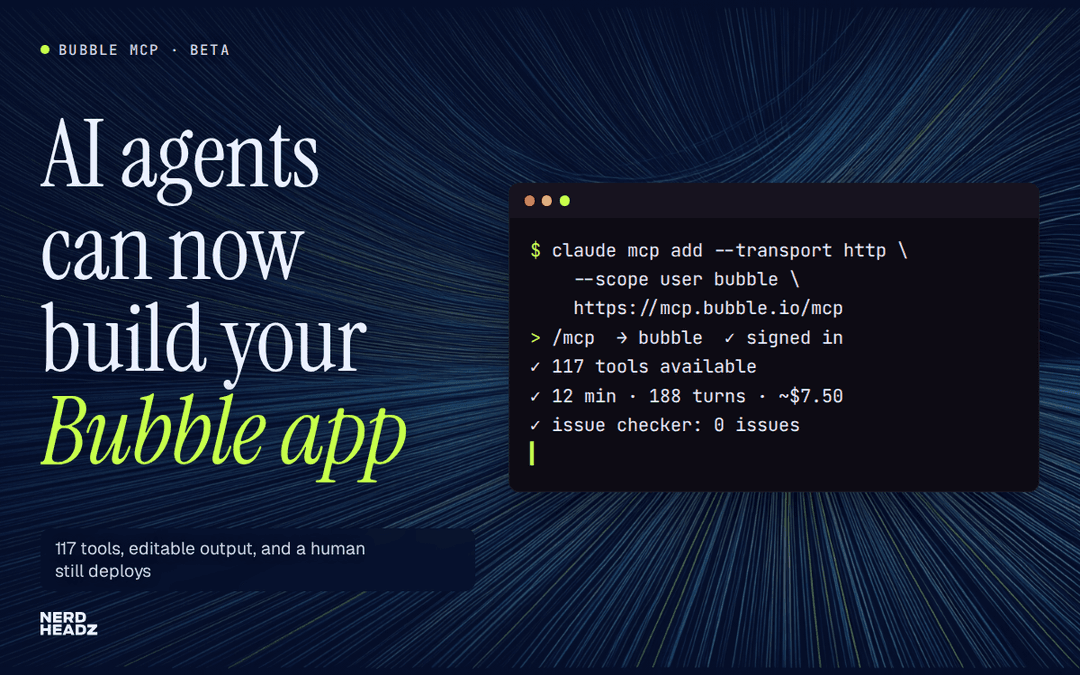
- Bubble: A comprehensive no code app builder for web apps. Users can build both mobile apps and responsive websites using drag-and-drop interfaces.
- Zapier: A workflow automation tool that connects different apps and services, ideal for automating business processes with minimal effort.
- Airtable: Combines database functionality with spreadsheet usability, popular for teams managing complex data sets.
- Softr: Turns Airtable data into web portals, directories and client-facing apps with customizable design blocks.
- Glide: Great for building mobile apps directly from spreadsheets, ideal for fast prototyping and internal tools.
Want to build with Bubble? Read how to build a CRM with no-code for a real-world use case.
These platforms support rapid development while reducing the need for coding knowledge or technical staff. For business users, that means faster turnaround and fewer blockers when building internal tools, dashboards or client apps, especially on a tight timeline or budget.
Benefits of No Code Software Development

No code lets teams bring software ideas to life without relying on traditional developers or deep coding expertise. The main benefits:
- Faster development: Projects that once took weeks can launch in days. Drag-and-drop, visual editors and pre-built components help teams move from idea to prototype with fewer bottlenecks.
- Cost savings: Businesses avoid the overhead of hiring experienced developers. Their own business users can build custom apps or internal tools.
- More autonomy: Citizen developers (non-technical staff) can help create software, which reduces dependence on IT and speeds up execution. Teams can experiment and solve problems directly.
If you're a startup building quickly, explore no-code development benefits for small businesses & startups.
For many teams, the ability to launch quickly, test ideas and make updates independently makes no code a practical choice, especially for lightweight tools or internal-facing solutions.
Limitations of No Code Software Development

No code increases speed and accessibility, but it isn't right for every situation. Watch for these limits:
- Customization: Most platforms rely on fixed templates and visual building blocks. Businesses that need advanced applications or features tied to niche workflows may find them too limiting.
- Scalability: As users or features grow, no code apps may struggle to adapt. Their architecture isn't always built for heavier load or specialized business processes.
- Platform dependency: You rely on the provider's infrastructure, so you have limited control over updates, outages or future pricing changes. If the platform shuts down, moving your software elsewhere can be slow and expensive.
- Security and compliance: Industries with strict data regulations may need backend access (to the behind-the-scenes systems) or encryption options that many platforms don't offer.
These trade-offs don't make no code unusable, but they call for careful evaluation, especially when you're aiming for long-term, large-scale success.
In practice: When growth starts to strain your platform, consider the guidance on important factors to weigh when choosing a custom software development.
Benefits of Full Code Software Development
Full code gives teams unmatched control over how software behaves, scales and connects to other systems. When customization and precision matter, it stands out.
- Precision: Every detail, from database structure to interface behavior, is built to fit the business. This is crucial for companies with specialized processes or unique workflows.
- Scalability: Custom-coded apps can grow with user demand, handle complex business processes and connect to other systems through custom APIs (the links that let software talk to each other).
- Security: Instead of relying on a third-party platform's predefined rules, developers build protection into the architecture itself. This helps meet stricter compliance needs, especially in industries with sensitive data.
- Long-term payoff: Full builds take longer, but the upfront investment brings longevity, flexibility and fewer surprises, particularly for mission-critical products.
We've seen this approach work well in our post on why SaaS startups work with software development agencies to scale.
Limitations of Full Code Software Development
Full code allows deep customization, but it comes with trade-offs:
- Time: Writing everything from scratch takes longer. Projects move slower, especially when teams must build, test and launch without reusable modules.
- Cost: Hiring professional developers and longer timelines increase spending. For startups with tight budgets, this can be hard to justify early on.
- Skills: The Learning curve is steep. Mastering programming languages, architecture design and debugging takes years, which limits who can contribute and raises training needs for new hires.
- Maintenance: Unlike no code platforms, which handle most updates in the background, full builds need hands-on support. That includes fixing security vulnerabilities, adapting to browser updates and reworking older code.
- Collaboration: When business teams can't adjust the software themselves, relying on developers slows changes and decision-making.
How to Decide Between No Code and Full Code Development

Start by assessing your project's scope, team and timeline. Then weigh these factors:
- Speed: No code delivers quickly with fewer technical requirements. It works well for internal tools, MVPs or simple applications that don't need deep customization.
- Unique features or integrations: Full code gives you complete control. It suits companies with coding expertise that need complex functionality or secure infrastructure.
- Budget: No code reduces upfront costs. Custom builds mean hiring experienced developers and planning for long-term maintenance.
In practice: Decide how critical customization, scalability and speed are for you, then choose accordingly. To go deeper, compare outcomes in custom software vs. off-the-shelf based on your long-term goals.
Why NerdHeadz Builds with Both No Code and Full Code
At NerdHeadz, we don't treat software development as one-size-fits-all. Some clients need to launch fast. Others need deep customization. That's why we offer both.
- No code, when time is short or teams lack technical staff: We use trusted tools like Bubble or Glide, just like we explain in how to build a no-code SaaS. These platforms simplify web development, let non-technical users contribute directly, and work well for MVPs or internal systems.
- Full code, for complex architecture or security needs: Our professional developers build from scratch with scalable frameworks to match specific requirements.
We choose based on your priorities (speed, control, scalability or budget) and deliver accordingly.
Conclusion
Choosing between no code and full code depends on what matters most: speed, customization or budget.
- No code offers faster results and fewer barriers for business users. Visual, drag-and-drop tools help teams deliver with less coding knowledge. It's ideal for early-stage apps, quick prototypes and internal tools.
- Full code gives you full control for projects that demand security, scalability or deep integrations.
Need help deciding? Review the key questions every business should ask software development agencies.
At NerdHeadz, we work across both. We help startups launch quickly and support growing businesses with robust, scalable systems, matching the development strategy to your goals.
Looking for guidance? Get in touch. We're here to help you build smarter.
FAQ
Frequently asked questions
Is no-code better than coding?
No-code is neither better nor worse—it depends on the project. No-code is great for simple, fast solutions and accessible to non-technical users. Coding excels in customization and handling complex systems, offering full control and scalability.
Will no-code replace programmers?
No, no-code simplifies development but doesn’t replace programmers. Complex projects still require coding expertise for customization, integration, and advanced functions that no-code tools can't handle.
What is the difference between programming coding and software development?
Coding refers to writing commands in programming languages. Programming encompasses coding along with logic and problem-solving to create software. Software development involves the full process—design, development, testing, and maintenance.
What is the difference between coding and non coding stand?
Coding involves writing code to build software, while non-coding stands leverage tools that don’t require programming, using visual interfaces and templates for app development.